



Introduction
Recently, I built a small Python project that allows users to generate images by drawing shapes like rectangles and squares directly onto a canvas.
The idea was simple:
Instead of using a graphics library with buttons and UI, I wanted to understand how images actually work at a lower level, pixel by pixel.
This project helped me better understand:
- Object-Oriented Programming (OOP)
- NumPy array manipulation
Images as 3D Data Structures
Instead of thinking in terms of “graphics”, I worked with a 3D array structured as:
self.data = np.zeros((self.height, self.width, 3), dtype=np.uint8)

#This creates a 3D NumPy array:
(height, width, 3)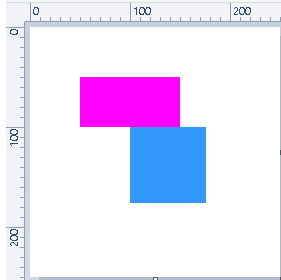
Each pixel stores RGB values, meaning the entire image is just structured numerical data in memory.
Command Line inputs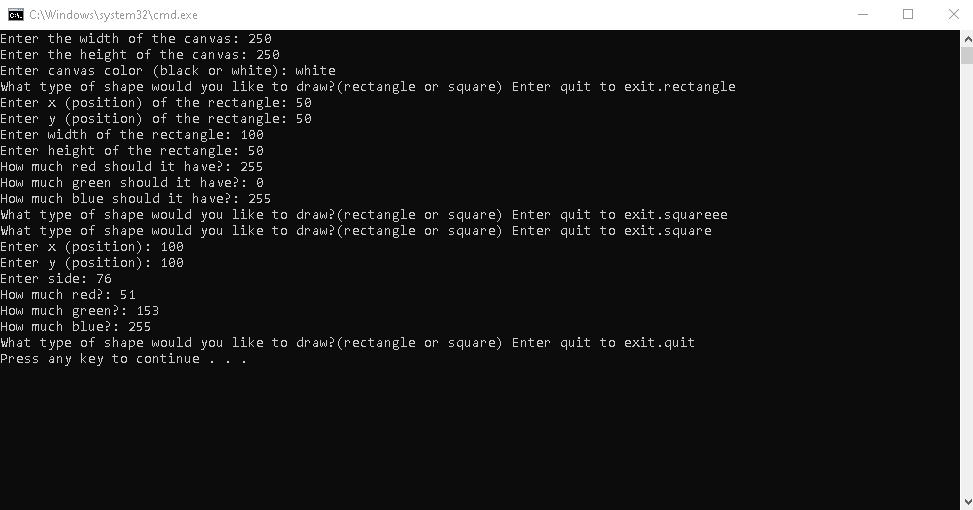
Project Structure
main.pyhandles user input and calls the drawing logic.canvas.pycreates the image data and saves it.shapes.pycontainsRectangleandSquareclasses with adraw()method.
How drawing works
- The canvas is a NumPy array of pixels.
- Each shape changes a rectangular slice of that array.
- Saving converts the array into a PNG using PIL.
canvas.data[row:row+height, col:col+width] = (r, g, b)